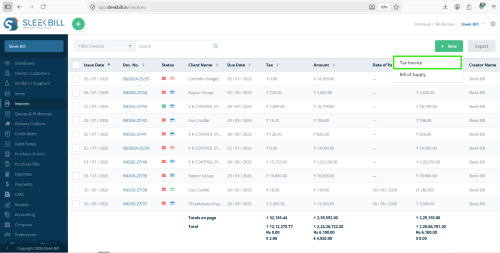
Create professional, GST-compliant Tax Invoices in seconds using Sleek Bill. Choose customizable, print-ready, PDF-ready and email-ready invoice templates for retail, wholesale, manufacturing, services, exports and more.
A Tax Invoice is an official document issued by a GST-registered seller to a buyer when taxable goods or services are supplied.
It contains supplier information, customer information, invoice number, invoice date, GST details, HSN/SAC codes, taxable value, CGST, SGST, IGST, total amount and payment information.
A professional Tax Invoice Template ensures GST compliance, faster billing, accurate tax calculation, better customer experience, easier accounting, audit-ready records and faster payments.
With Sleek Bill, you can create beautiful GST invoices without manual formatting or spreadsheet errors.
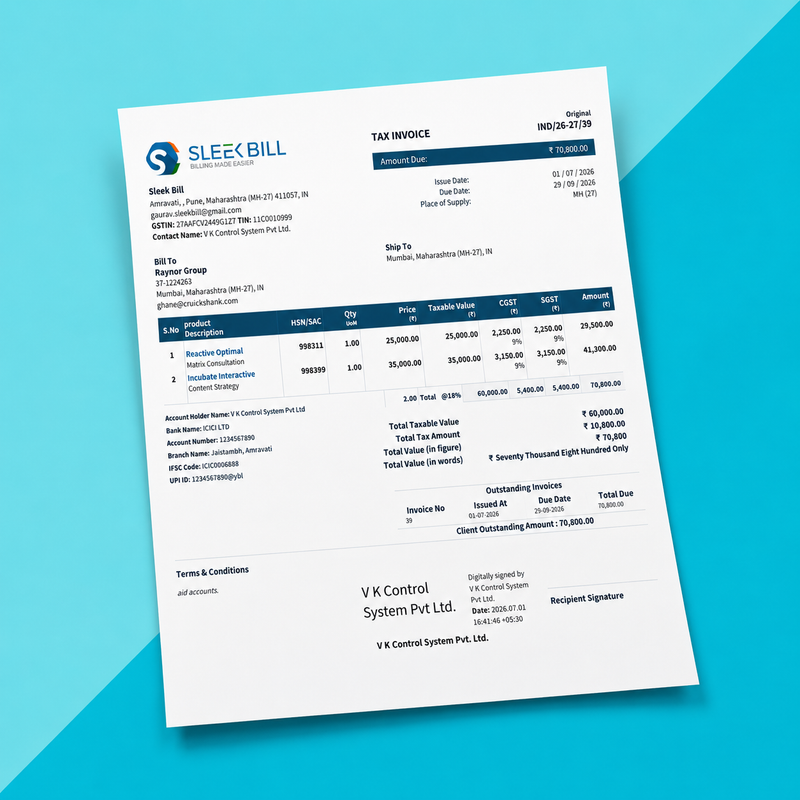
This visual sample explains important Tax Invoice fields used for GST compliance, customer clarity, payments, inventory and audits.
1
2
3
4
5
6
7
8
9
10
11
12
A clear heading such as Tax Invoice identifies the type and purpose of the document.
A unique invoice number and invoice date help maintain proper GST records, payment tracking and audit trails.
Your business logo provides professional branding and makes the invoice easily identifiable to customers.
GST Identification Numbers of the supplier and customer, wherever applicable, are included for GST compliance.
Includes the name, address, GSTIN, contact information and other relevant details of the seller and buyer.
Specifies the state or location of supply and helps determine whether CGST & SGST or IGST is applicable.
Includes billing and delivery addresses along with useful references such as PO number, e-Way Bill and vehicle details.
Lists item description, HSN/SAC code, quantity, unit, rate, taxable value, GST and total amount.
Shows taxable amount, applicable CGST, SGST or IGST, additional charges, discounts and final invoice value.
Bank name, account number and IFSC code help customers make payments through NEFT, RTGS or IMPS.
Contains payment terms, delivery conditions, return policies and other important business terms.
The authorized signature, digital signature or company stamp validates the invoice.
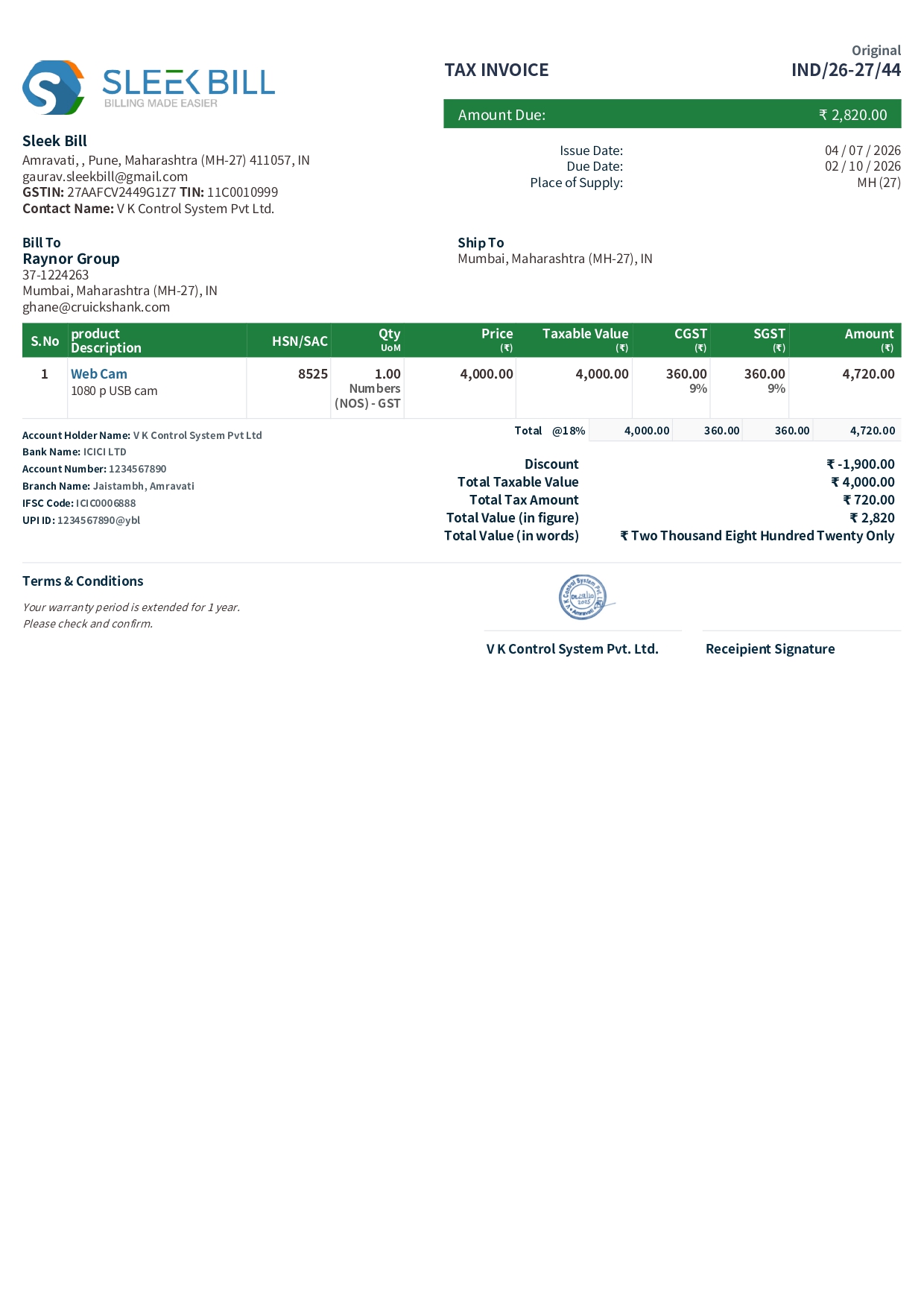
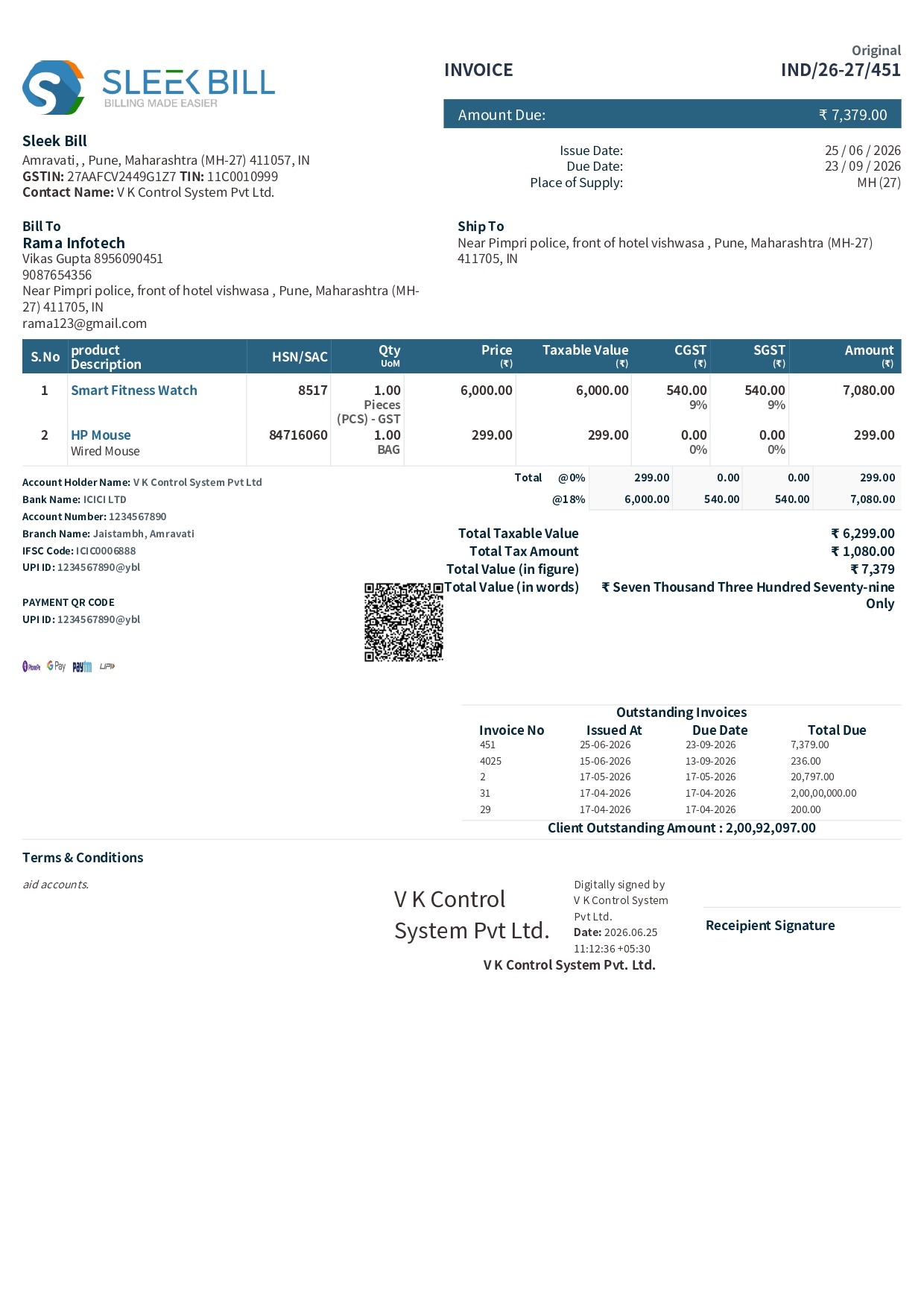
Explore and download various invoice templates in PDF, Excel, Word formats.
Show users that the invoice template is flexible, branded and business-ready.
Add company logo, brand name, address and GSTIN.
Match invoice design with your business identity.
Add UPI QR or payment QR for faster collections.
Show account number, IFSC and payment terms.
Add terms, notes, warranty and return policy.
Add authorized signature and company stamp.
Customize CGST, SGST, IGST, Cess and TCS/TDS labels.
Use A4, compact, thermal, export or custom layouts.
Follow the step by step process for using Sleek Bill Billing Software.
Open Sleek Bill and select the Tax Invoice option from the dashboard left menu. This opens the invoice creation screen for billing customers with applicable GST.
Select the invoice date, due date, invoice number, payment terms, PO number, and other reference details as needed.
Choose the products or services to bill. Enter the quantity, unit, rate, discount (if applicable), and verify the HSN/SAC code for accurate GST calculation.
Add freight, shipping, packing charges, or other applicable charges, and apply TCS/TDS if required.
Review the invoice number, customer details, item list, tax calculations, totals, payment information, declaration, and signature. Click Preview to verify everything before saving.
Save the Tax Invoice and generate a PDF. Print the invoice or share it instantly with the customer via email or other preferred channels.
Reduce manual errors with automatic GST, discount, round-off and total calculation.
CGST + SGST (Intra-State Sales) When the supplier and the customer are located in the same state or Union Territory, GST is divided into Central GST (CGST) and State GST (SGST). Both taxes are charged equally and collected on the same invoice. For example, if the GST rate is 18%, it is split into 9% CGST and 9% SGST. This is the most common tax structure for transactions within a state.
IGST (Inter-State Sales) When goods or services are supplied from one state to another, Integrated GST (IGST) is applicable instead of CGST and SGST. The supplier charges the full GST amount as IGST on the invoice. This simplifies tax collection and ensures that the tax is transferred to the destination state where the goods or services are consumed.
HSN/SAC Codes HSN (Harmonized System of Nomenclature) codes are used to classify goods, while SAC (Services Accounting Code) codes are used for services under the GST system. These codes help businesses apply the correct GST rate, generate compliant invoices, and file GST returns accurately. Including the appropriate HSN or SAC code on your tax invoice also improves transparency and reduces the chances of errors during GST audits and compliance checks.
Manage every stage from quote to payment and post-sale adjustment.
Send price estimate.
Share pre-invoice.
Create GST invoice.
Collect payment.
Record transaction.
Handle returns.
Generate invoice register, sales register, GST summary, customer ledger, outstanding report, payment collection report, HSN report, tax report, item sales report, profit & loss statement, and detailed sales analytics with real-time business insights.
Sleek Bill provides multiple invoice templates, GST compliance, inventory integration, QR payments, e-Invoice support, e-Way Bill support, cloud + desktop access, PDF sharing and real-time reports.
Click any question to expand the answer.
Design beautiful, GST-compliant invoices with customizable templates, automatic tax calculations, QR payments, e-Invoicing, E-Way Bill support and powerful reporting.